Saturday, November 28, 2009

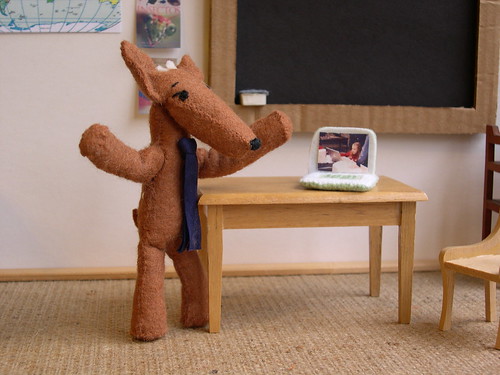
Laptops in the classroom

What are ways you manage the use of laptops in your classroom and what additional best practice ways might you add?


As a coetail class, we used voicethread to discuss and share many techniques on how to manage “technology tools” in our classroom.


I know I have learned lots of new ideas from this discussion.

Here are some easy practical steps I follow:

-Timing: Allow enough time at the beginning and at the end of class for students to save their work, log off their computers and return them to the carts. If you can’t manage time well like I do, ask a student to remind you of the time.

-Computer: Assign a computer to a student at the beginning of the term. They will be responsible for plugging the computer and keeping it in good shape.

-Saving work: Create a personal folder for your class on their flash drive as well as on the server and teach students the mechanism of saving in both places. They will lose their work, so teaching them the mechanism of saving in 2 places will pay off some time or another.

-Focus on instruction: One thing I have learned from experience…you can give students instructions orally over ten times and they will not follow it if they are engaged on something, especially if there is a computer in front of them. I usually count down and ask students to lower their screen while I give instructions. One thing I learned in the Coetail class was that you can use your fist to measure how much one can lower the laptop screen without shutting down the activity.

-Peer helpers: It’s nearly impossible to answer all questions at once. As long as it doesn’t become a distraction, I encourage students to help each other. They are great with problem solving.

-Instructions: As mentioned in my peer language educator’s blog, giving instructions in the target language when it involves the use of technology can be challenging for students and teacher! Of course, breaking down the steps and the language of instruction as much as possible is essential. Other technique I have used have been to provide students with specific checklist for each step they need to accomplish.


Photo Pudú Introducing OLPC by: Lizette Greco


Saturday, November 21, 2009

How relevant are the NETs for Teachers and Administrators to being a "Good Educator" today?

Encouraging teachers and students to learn more about how to use new technology is one step, but the administrators of a school also need to be on board with the learning (After all, they are the ones who will hire experienced teachers). Over the past 5 years at ISB, I have seen a clear commitment from the school to educating everyone about technology. For example, we have gone from one technology coach to having 3; one for each school (Elementary, Middle, High). Another example has been to offer professional development like the COETAIL class and opportunities to attend many technology related conferences.

Teachers and Administrators should understand and promote the vision of education technology, but they should also lead by example. In particular, I would expect that as a school, all teachers and administrators should all be reminded regularly to apply the standard of “digital Citizenship”.

Digital Citizenship (NETS for students )
Students understand human, cultural, and societal issues related to technology and practice legal and ethical behavior. Students:
a. advocate and practice safe, legal, and responsible use of information and technology.
b. exhibit a positive attitude toward using technology that supports collaboration, learning, and productivity.
c. demonstrate personal responsibility for lifelong learning.
d. exhibit leadership for digital citizenship.


Promote and Model
Digital Citizenship and Responsibility (NETS teachers)
Teachers understand local and global societal issues and responsibilities in an evolving digital culture and exhibit legal and ethical behavior in their professional practices. Teachers:
a. advocate, model, and teach safe, legal, and ethical use of digital information and technology, including respect for copyright, intellectual property, and the appropriate documentation of sources.
b. address the diverse needs of all learners by using learner-centered strategies providing equitable access to appropriate digital tools and resources.
c. promote and model digital etiquette and responsible social interactions related to the use of technology and information.
d. develop and model cultural understanding and global awareness by engaging with colleagues and students of other cultures using digital-age communication and collaboration tools.

5. Digital Citizenship (NETS for Administrators.)
Educational Administrators model and facilitate understanding of social, ethical and legal issues and responsibilities related to an evolving digital culture. Educational Administrators:
a. ensure equitable access to appropriate digital tools and resources to meet the needs of all learners.
b. promote, model and establish policies for safe, legal, and ethical use of digital information and technology.
c. promote and model responsible social interactions related to the use of technology and information.
d. model and facilitate the development of a shared cultural understanding and involvement in global issues through the use of contemporary communication and collaboration tools.

Saturday, November 14, 2009

When It Comes To Instructions: Is Less More?


How can teachers and schools ensure that their students are learning what they need when it comes to Technology and Information Literacy?


I have used the program movie maker in French class for 3 years. It allows students to create neat video projects using voice and text over still images or even video clips. The students are usually proud of their projects and more willing to show them to their peers. Every year, I revise the project to match the students' ability level.
In the process, I also refine the instructions, breaking it down into small steps, allowing more classtime, giving more details about due dates and providing more specific checklists. However, it seems that every year, the projects are more and more difficult to complete a) following the instructions b) on time.

This year, for the final project of the semester, I met with our MS tech coach, Ms Cofino , asking for suggestions on how I could present and organize the project to ensure success. I tried to apply the following:

1) Presentation of the project in class, providing some examples and stressing the details of the calendar.
2) Brainstorm of ideas (on paper)
3) Story board (on paper)
4) Script (Online, using google docs to allow students to work simultaneously and the teacher to oversee participation and collaboration)
5) Checklist for the script (to allow student the time to reflect on their script, making sure that the CONTENT of their project demonstrated mastery of the new language skills)

Then we moved on to the project on the computer program (movie maker). I had a check list for this section as well.
1) Demonstration of how to use the program movie maker (if necessary)

2) Import and organize all images, using transitions.

3) Add subtitles & record Audio

4) Finalize the movie and publish

Final stage: presentation

1) Complete the final check list for the entire project and turn in the project on stushare.

2) Present to classmates and peer evaluate the projects.

After 7 classes, all broken up stages, 3 checklists, class time and 2 weekends…still, students don’t read the instructions, nor do they use the check lists to ensure that they met the requirement for the CONTENT of their project.

So I thought I had covered all the bases with a structured project, but maybe less instructions is more for this generation of students? I would agree that students today can figure out how to use any tech tools by trial and error (vs. reading instructional manual), but how do we ensure that they follow instructions and meet the requirements for the content?

I am open to suggestions. What works for you?

Saturday, November 7, 2009

Pay it forward

Whose job is it to teach the NETs and AASL standards to students?

According to Wikipedia, the expression "pay it forward" is used to describe the concept of asking that a good turn be repaid by having it done to others instead.[...]In sociology, this concept is called "generalized reciprocity" or "generalized exchange".
My interpretation is that if something good happens to you, then you should in turn do a good action for someone else. It seems simplistic, but I think it can work in the the context of our discussion about "whose job is it to teach the standards?".
Let me explain:
When my students come into my French class, they already know how to read a text and write sentences using appropriate punctuation and paragraph forms. Whose job was it to teach writing? Do students only learn to read and write in their English/humanities class? Although there is a clear emphasis on those skills in an English class, everyone expects students will become better writers because they get to practice in their other classes.
When I teach my students how to use a new computer application to use in my French class, I know that students will be able to apply this new skill for another class or for their personal use. In turn, I was pleasantly surprised when some students started on their French journal already knowing how to use their blogs. Whose turn was it to teach this tool?
Interdisciplinary teaching is expected in most classrooms. Familiarize yourself with the curriculum of other departments so you can integrate it into your own. In my classroom, we study math, science, humanities, art, physical education, etc in FRENCH.

Looking at some of the NETs standards, most of the colleagues around my table agreed that most of these standards are common to most discipline?

1. Creativity and Innovation
Students demonstrate creative thinking, construct knowledge, and develop innovative products and processes using technology.

2. Communication and Collaboration
Students use digital media and environments to communicate and work collaboratively, including at a distance, to support individual learning and contribute to the learning of others.

3. Research and Information Fluency
Students apply digital tools to gather, evaluate, and use information.

4. Critical Thinking, Problem Solving, and Decision Making
Students use critical thinking skills to plan and conduct research, manage projects, solve problems, and make informed decisions using appropriate digital tools and resources.

5. Digital Citizenship
Students understand human, cultural, and societal issues related to technology and practice legal and ethical behavior.

So, why couldn’t/shouldn’t we expect interdisciplinary teaching of technology skills, and therefore the standards?

Saturday, October 31, 2009

Reflection on the final project

My final project for this class was a project for French A students to create a digital story using movie maker. We started a unit on countries around the world and climate to go along with the students’ humanities classes.
Later on in the same unit, students individually performed in class as a television “weather man”. In order to do well in their authentic performance, students needed to know the vocabulary. The videos were meant to help students learn and practice the new vocabulary on weather.

My goal was to kill two birds with one stone:
-students learn their new vocabulary in their project.
-Students learn to use new tools (creative commons + movie maker) that they can/will use later for other presentations in French class.

Based on the students’ self-reflection after the project, they were proud of the outcome of this project. They felt that they had learned to use the new vocabulary, and even though we had trouble with the technology, they enjoyed learning to use the movie maker program. Overall, students were proud to have created a video and posted them on their individual Blogs (portfolios). Students can use each others’ videos to review the vocabulary for the unit.

What can I do to improve this project next year?
1) There were too many new skills and tools to learn at once. Images + text + voice recording + video editing. Who has time to proofread their French?
Next time, I would teach students how to search for original images on creative commons beforehand and for a simpler project. They could learn the true value of finding good visuals and giving credit to authors. Once it is time to work on the video, they already know where to go find their images...

2) For the movie maker project, I also need to review the steps to follow.
The organization and writing of the project should be separate from the actual making of the video (movie maker). As a team, students should write and organize the story (board) away from the computers. That will give them time to discuss the project as a group, share tasks, peer edit their work and make changes if necessary. Because 3 or 4 students worked on one project as a team, it made for some logistical nightmare if one student did not have his/her part on time. Students work at different pace, so it is better for each student to be assigned a specific individual task. For example: each student should complete their video: fall, winter, spring, summer. Once we have all 4 videos, we can complete the group’s video by putting it all together.

I will continue to use movie maker as I believe that it is a powerful tool for teaching and learning a foreign language. It provides opportunities for students to practice all skills (reading, writing, speaking and listening) in the target language. With more opportunities to use movie maker, students will get better at using the tool and will improve on their use of the target language.

Tuesday, October 20, 2009

Using Video in the Language Classroom

How has the explosion of web based video changed the teaching and learning landscape?

  • Introduction to a new unit: Starting a new lesson, I often use a piece of realia: an object, an image…How about a video to start the unit?
  • Language Lab: In Bangkok, my students’ exposure to French is very limited. The classroom is often the only place where they will be able to listen (and speak) French.I can provide students more opportunities to be exposed to the target language through videos. Asking a student to watch TV5 in French may not be very exciting (although it has its benefits), but inviting them to watch a video on YouTube might be more appealing to my students.
  • Self Assessment /Reflection: In a language classroom, we aim for all students to practice their oral skills as much as possible.Students are guided to produce orally in the target language through various performance assessments (interpersonal communication, presentations, etc).However, once the students have performed, they may receive teacher feedback, but they have little opportunity to reflect on their completed oral performance.Videotaping students performing orally is nothing new. Yet, being able to upload the student’s video on the web, and on their personal (or the class) blog, may give students a chance to watch/listen to their performance and self-assess.(Delivery, pronunciation, etc). Watching themselves communicate in a foreign language also gives students a sense of pride and ownership. Students are encouraged to post their performance video on their blog as part of their portfolio.

Sunday, October 18, 2009

Screencasts: How to Add Accents on a Glogster.com Poster Project.

How could screen casts be used in your classroom/department?

Screencasts can be used to help teach different computer skills to both students and teachers.
Here is an example of how I have used screencasts for my class.

Screen cast can be used to help teach different computer skills to both students and teachers.

Here is an example of how I have used screencast for my class.
French intro students were creating a poster on glogster.com at the beginning of the year. They were required to use the program to present themselves and the first few French words they had learned. Accents being important in French, it was important for them to ensure they typed the correct spelling (with accents) on their poster.

Before screencast: I demonstrated one time on the smartboard to the class how to use accents in their glogster poster. However, I had to go around the classroom and repeat the set of instructions several other times to individual students who had forgotten or not heard it the first time.

After Screencast: I now have created a short video demonstrating how to add accents on a Glogster poster.
I have posted it on my class blog (or Panthernet), and invite students to go watch it as many times as they need.
Hopefully, the screen cast will be sufficient in helping them.

Screencasts can be also used to share best practice with other teachers. For example, in response to this blog entry, many teachers from our Coetail class created a sample screencast. There are now many screencasts that we can search within our small network of teachers to learn new skills that will help our students as well as us teachers/learners.